How to Start Your Audi With a Dead Key Fob
A step-by-step guide to getting in and starting your Audi when the fob battery is dead, no locksmith or tow truck required.
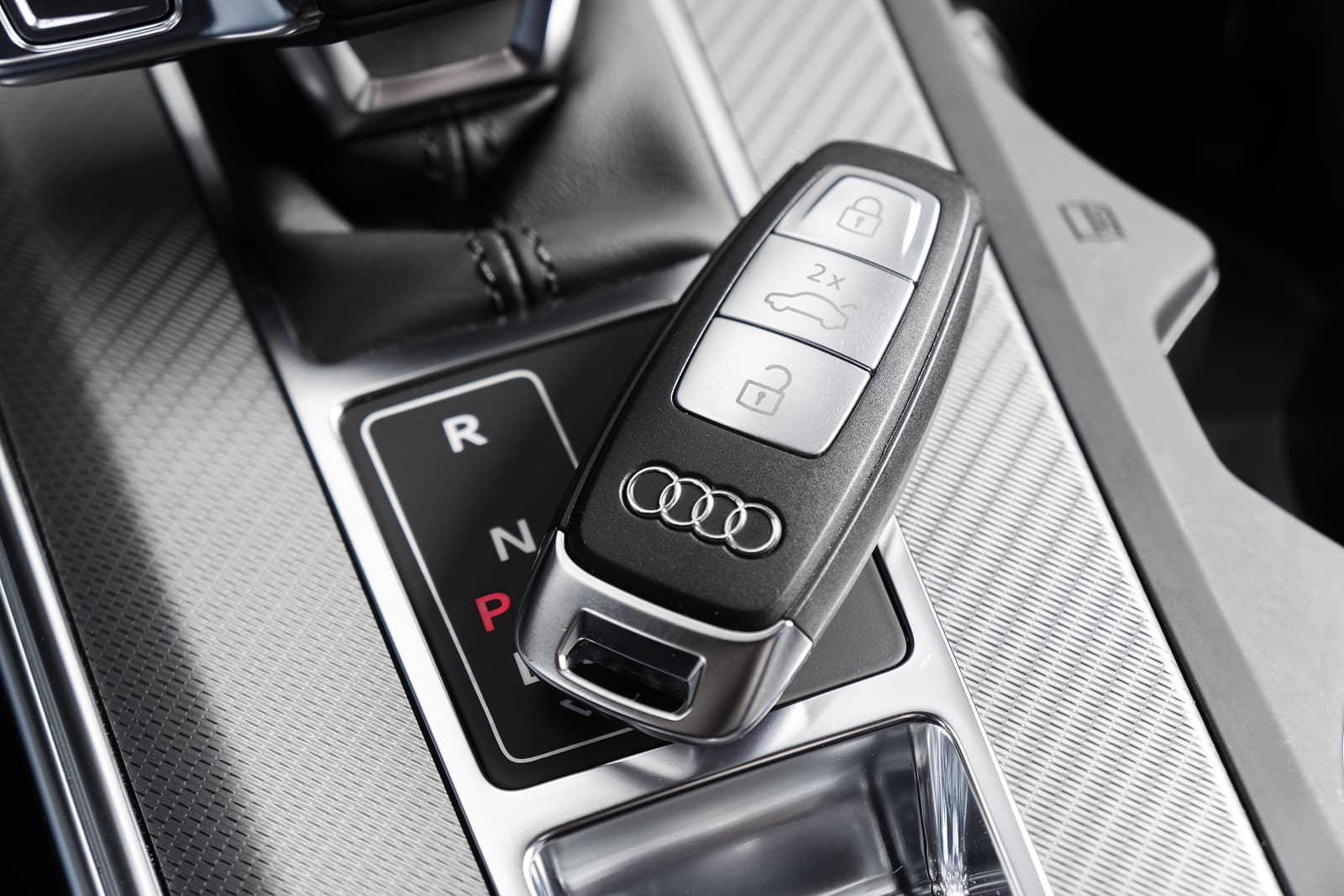
How to Start Your Audi With a Dead Key Fob
Colin Joseph – 04/06/2026
Step One: Get Into the Car
Before you can start the car, you need to get inside. Most Audi owners with a dead fob battery try pressing the door handle or the button on the fob and get nothing. Here is what to do instead.
Flat Key Fob (Most Current Audi Models, 2017 and Newer)
Look at the back of your key fob. There is a small button or slide on the back or bottom edge. Press or slide it to release the emergency mechanical key blade. It is a thin metal key that slides out from one end of the fob. This key works entirely without battery power.
Now look at your driver's door handle. On most current Audi models, the physical keyhole is hidden behind a small cover on the driver's door handle, usually at the base or the back side of the handle. Use a fingernail or a coin to pop off that cover and the keyhole will be underneath. Insert the emergency blade and turn it to unlock the door.
Flip Key Fob (Older Models, Common on A4 and Q5 Models From Roughly 2009 to 2016)
Press the release button on the flip key to extend the metal blade fully. The keyhole on older Audi models is typically in the door handle and may not be covered. Insert the blade and turn to unlock.
Once you are inside, do not worry about re-locking with the key blade right now. Get in, close the door, and move on to starting the car.
Step Two: Start the Engine
Getting in was the easy part. Starting the car when the fob has no battery requires one extra step, but it is not complicated. Here is how it works on each key type.
Flat Key Fob With Push-Button Start (Most Current Audi Models)
Your Audi uses a push-button ignition and detects the key fob wirelessly. When the fob battery is dead, the car cannot detect the fob from your pocket or bag the way it normally would. The fix is to hold the fob directly against the start button.
Place the key fob flat against the start button on your dashboard. The button is usually circular and marked with a power symbol or the word START. Hold the fob directly against it, with the Audi logo or the buttons facing the dash. The car uses a low-frequency inductive signal built into the start button to power the fob just enough to read the immobilizer chip inside, even with a fully dead battery.
With the fob held against the button, press the brake pedal with your foot and then press the start button as you normally would. The engine should start. If it does not start on the first attempt, reposition the fob slightly and try again. The exact placement can vary slightly by model year.
Flip Key Fob With Traditional Ignition (Older Audi Models)
On older Audi models with a physical ignition cylinder, the process is simpler. The metal key blade goes directly into the ignition. The transponder chip inside the key communicates with the immobilizer through the ignition cylinder itself, so a dead fob battery does not affect this at all. Insert the key and turn it as you normally would. The car will start.
If the car does not start after inserting the key correctly, the issue is something other than the battery. A worn transponder chip or a problem with the immobilizer system would require a visit to the service department.
Which Key Fob Do You Have?
Here is a quick reference for the most common Audi models on the North Shore.
Audi Q5 (2018 and Newer):
- Flat key fob with push-button start. Use the hold-against-the-button method described above. Emergency blade is released from the back of the fob.
Audi Q5 (2009 to 2017)
- Flip key on earlier versions, flat fob on some later versions. Check your fob type. If it has a blade that folds out, use the ignition method. If it has a removable emergency blade, use the push-button method.
Audi A4 (2017 and Newer)
- Flat key fob with push-button start. Same method as the current Q5.
Audi A4 (2009 to 2016)
- Flip key on most configurations. Physical ignition start, battery condition does not affect starting.
Audi Q7 (2017 and Newer)
- Flat key fob with push-button start. Same method. The Q7 fob is slightly larger than the Q5 version but works identically.
Audi Q3 (2019 and Newer)
- Flat key fob, push-button start. Same method.
Audi A5 Sportback (2018 and Newer)
- Flat key fob, push-button start. Same method as Q5 and A4.
If you are unsure which generation your vehicle is, check the model year on your registration. Any Audi from 2017 or newer with a push-button ignition uses the flat fob and the hold-against-the-button starting method.
What to Do After You Get the Car Started
You are in the car and the engine is running. The immediate problem is solved. Here is what to do next.
Replace the Battery as Soon as Possible
A dead fob battery is a fixable five-minute problem. Most Audi key fobs take a CR2032 coin battery available at any drugstore. This step-by-step guide walks through the full replacement process for flat and flip key fobs on the most common Audi models. Do not leave it until the next time this happens in a parking garage.
Do Not Turn the Engine Off Until You Are Somewhere Convenient
Once the car is running, you can drive normally. The issue only comes back when you need to start it again. If you are driving to a store to pick up a battery, stay in the car with the engine running or park somewhere you can easily get back into with the emergency blade. You can relock the door from the inside before you get out, and unlock it with the blade again when you return.
Keep the Emergency Blade Accessible
After replacing the fob battery, slide the emergency blade back into the fob and make a mental note of how to release it. If this happens again, you will know exactly what to do.
What If None of This Works?
If you tried holding the fob against the start button and the car still will not start, there are a few things worth checking before you call for help.
The Fob Is Not Positioned Correctly
On push-button start models, the placement matters more than you might expect. Try repositioning the fob so that different parts of it are against the button. The inductive coil inside the fob needs to be close to the reader in the start button. Rotating or tilting the fob slightly sometimes makes the difference.
The Battery Is Not Dead, It Is Something Else
If the fob was working recently and nothing obvious changed, the battery may not be the issue. A fob that was dropped or exposed to water can have internal damage that prevents it from communicating with the car even through the backup inductive method. In that case, the fob itself needs to be replaced.
The Immobilizer System Has an Issue
This is uncommon but possible. If the car recognizes that a valid key is present but still will not start, or if you see an immobilizer warning message in the cluster, the car's receiver or programming may need to be inspected. This requires dealer-level diagnostic equipment.
You Need a Second Key
If you have a second key fob at home, that is the fastest solution. Drive on the emergency blade start, pick up the second fob, and replace the battery in the first one at your convenience.
If the car genuinely will not start and none of the above resolves it, the Audi Great Neck service team can help. In some cases the fob needs to be reprogrammed or replaced, which requires the car to be present and the key to be paired to the immobilizer system.